
Vinyl Banners
Let customers enter the exact banner width and height they require and calculate the price automatically.
Measurement Mode lets customers enter the size they need while Varinkio calculates pricing from width, height and area — ideal for banners, signs, boards and other large-format print products.
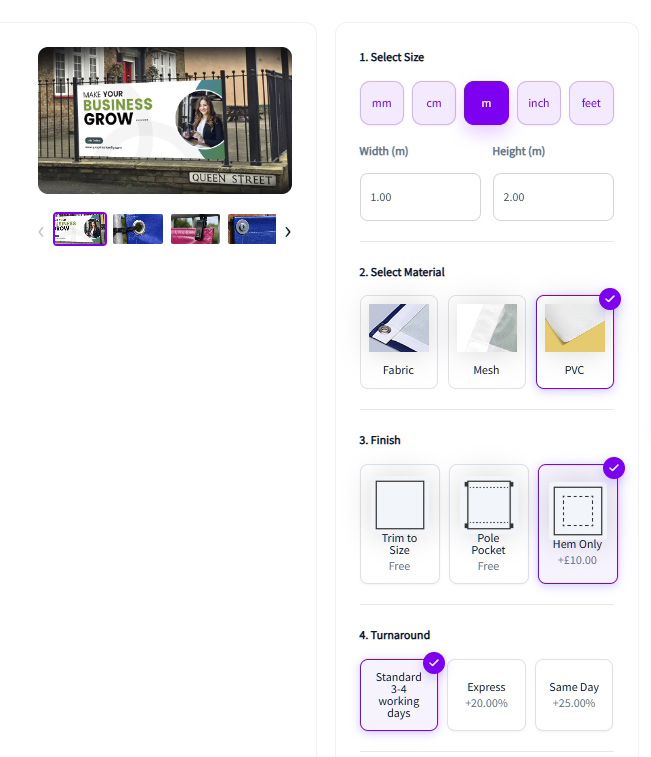
Measurement Mode is designed for print products that cannot be represented efficiently with a fixed list of standard sizes.
Let customers enter the exact banner width and height they require and calculate the price automatically.
Sell custom-size boards and rigid media using dimensions, area and the selected material.
Handle made-to-size signage products without creating hundreds of combinations of width and height.
Use measurement pricing across other custom-size products where area has a direct effect on production cost.
Define your measurement rules and pricing once. Varinkio then calculates the product price from the dimensions entered by your customer.
The customer enters the width and height required for their finished print product.
Varinkio uses the measurements to calculate the relevant printable area for the product.
Your configured pricing engine calculates the product price using the area and applicable pricing rules.
The customer can upload artwork and continue through WooCommerce checkout or submit the configured product as a quote request.